Decluttering the Agent Inbox

Yellow.ai is an AI-first Customer Service Platform. It orchestrates over 16 billion annual conversations for 1,300+ global brands like Sony and Flipkart.
Summary
“Agents are complaining that everything seems big on their screens and it is difficult to find ticket details”
How can we organise and redesign Inbox so that customer support agents can find the information they need without feeling overwhelmed by large, cluttered screens?
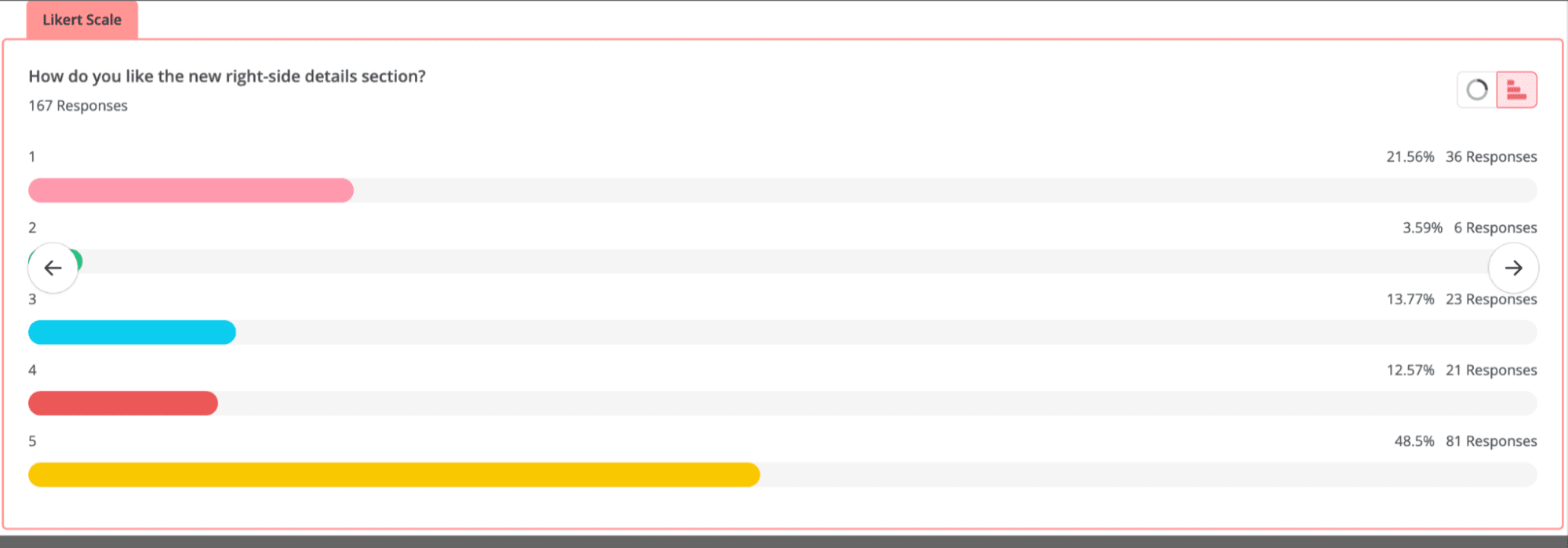
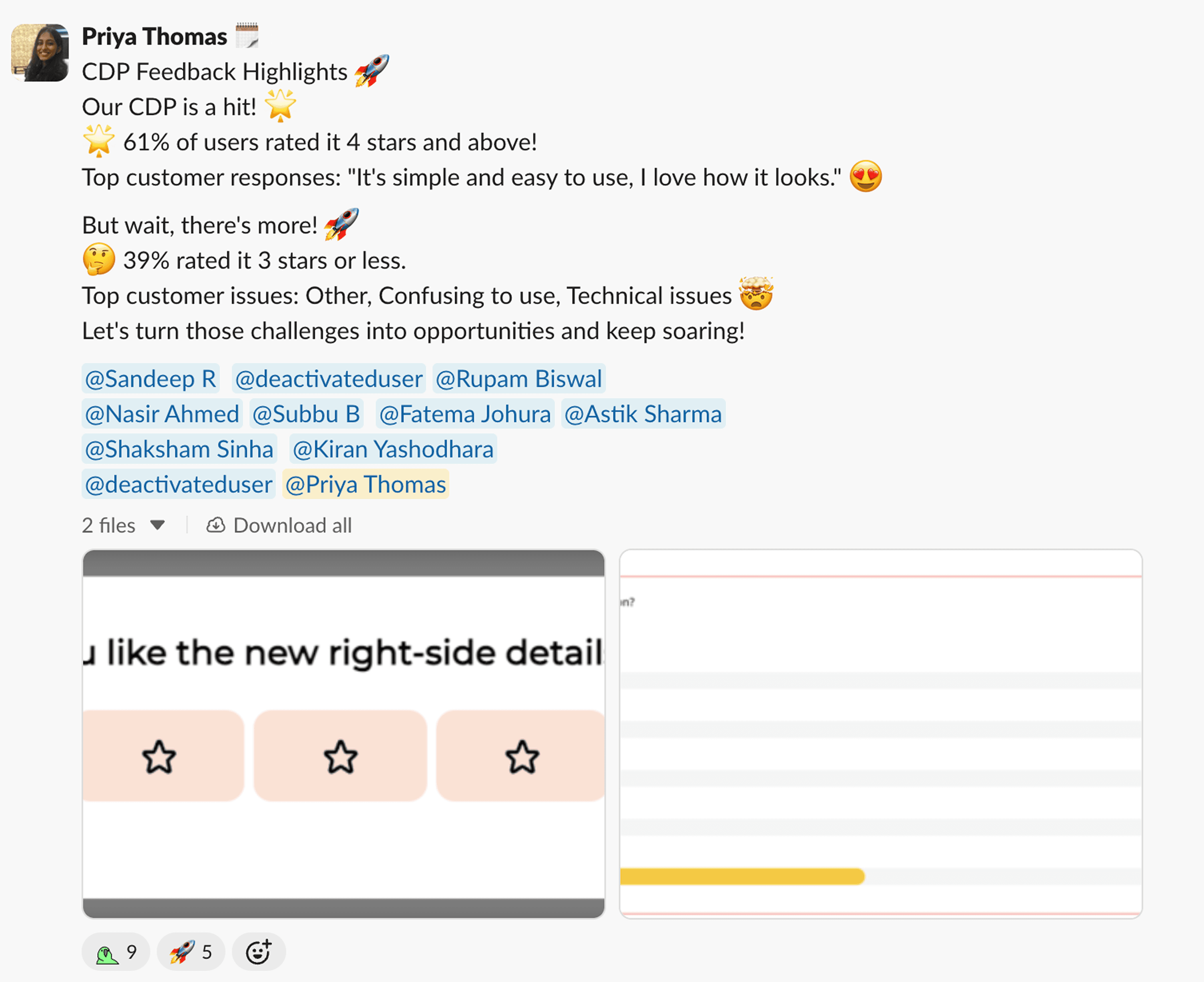
Impact: 61% of users rated the experience 4★ or higher (n=167), and average ticket handling time decreased by 4%.
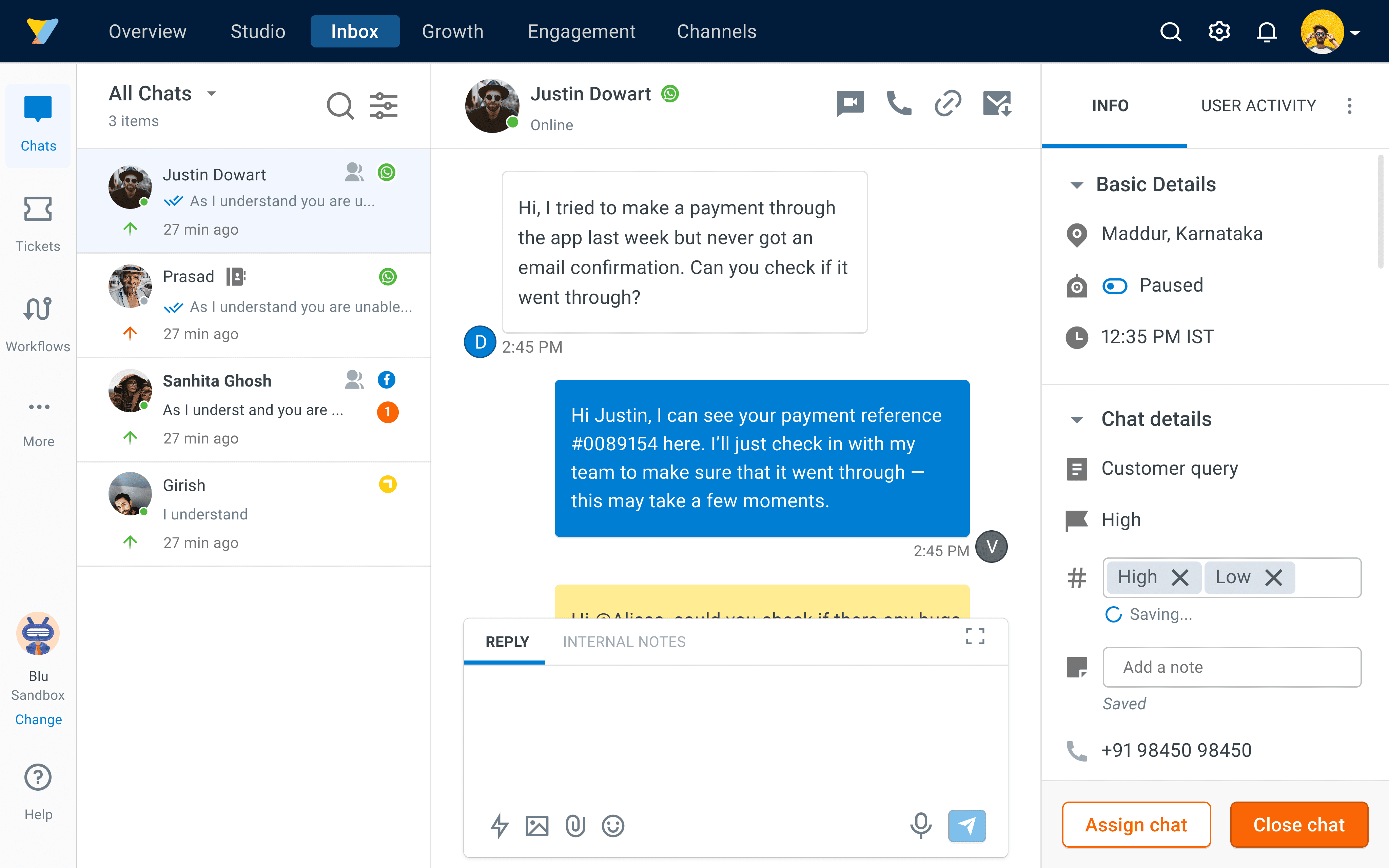
Before
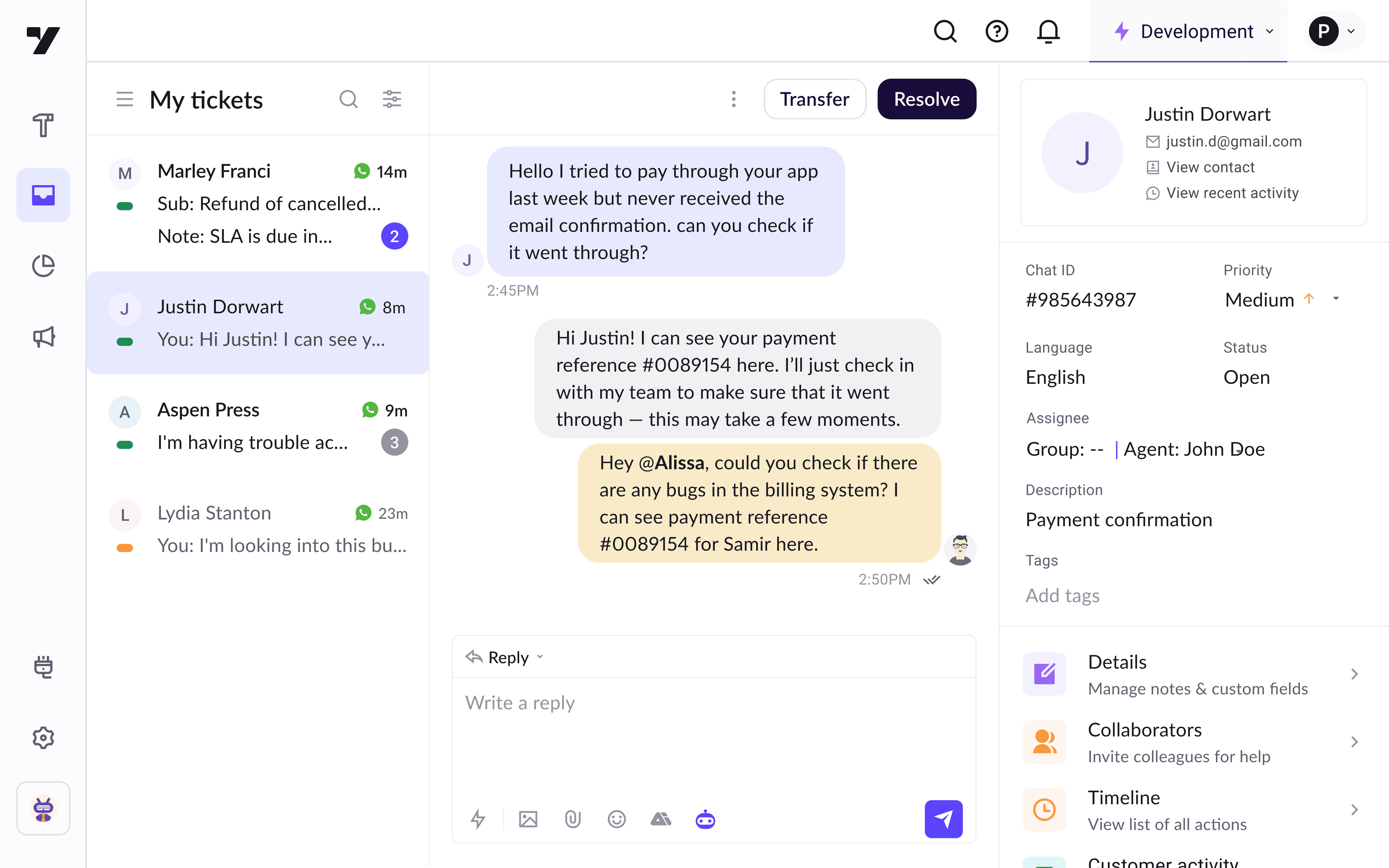
After
Problems: Starting with tickets list
Agents kept complaining that Inbox was hard to use. In interviews, it became clear that several sections needed a rethink.
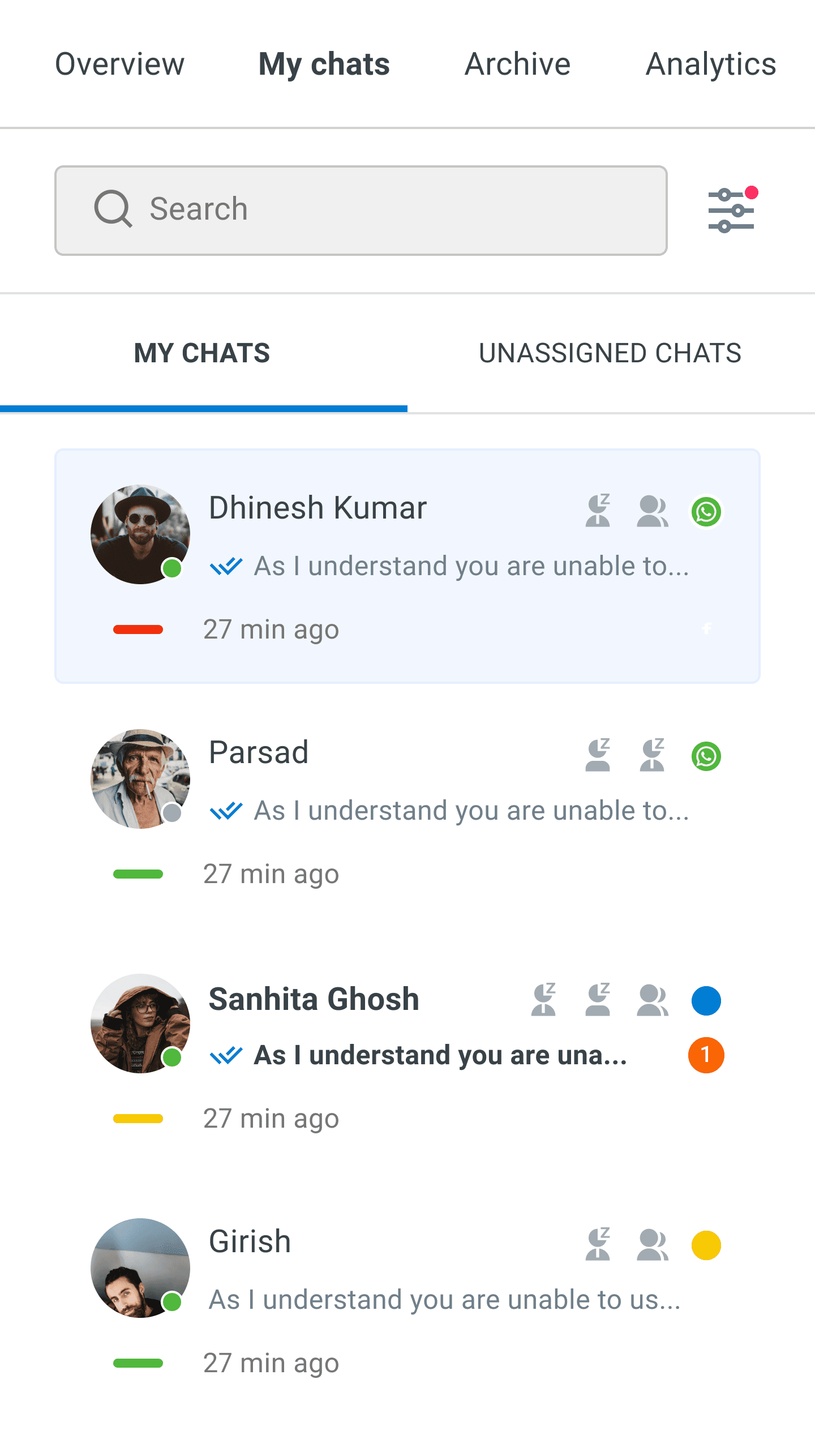
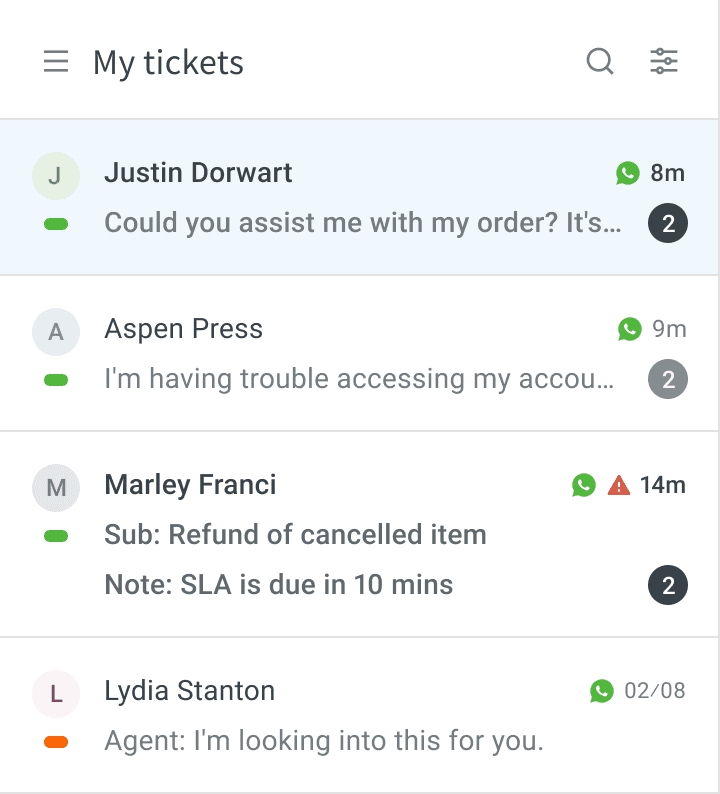
First stop: the ticket list. Most agents were on smaller Windows laptops, and each ticket row was eating up vertical space, forcing a lot of scrolling.
I trimmed the noise, reprioritised what shows up in the list, and worked with the UI team to tighten typography and spacing. Now, more tickets fit on screen, and the list feels cleaner and easier to scan at a glance.
Before
Conversation history
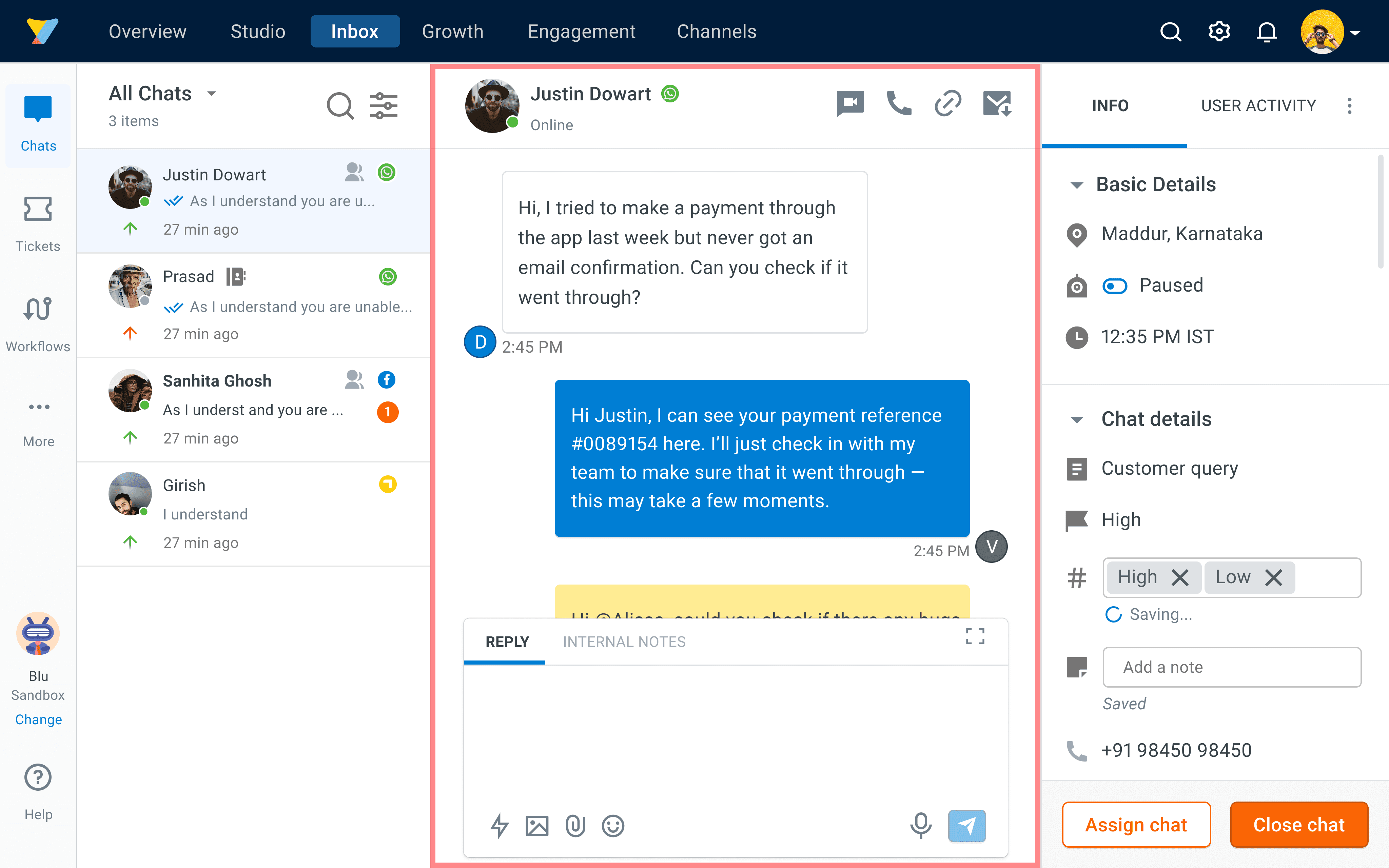
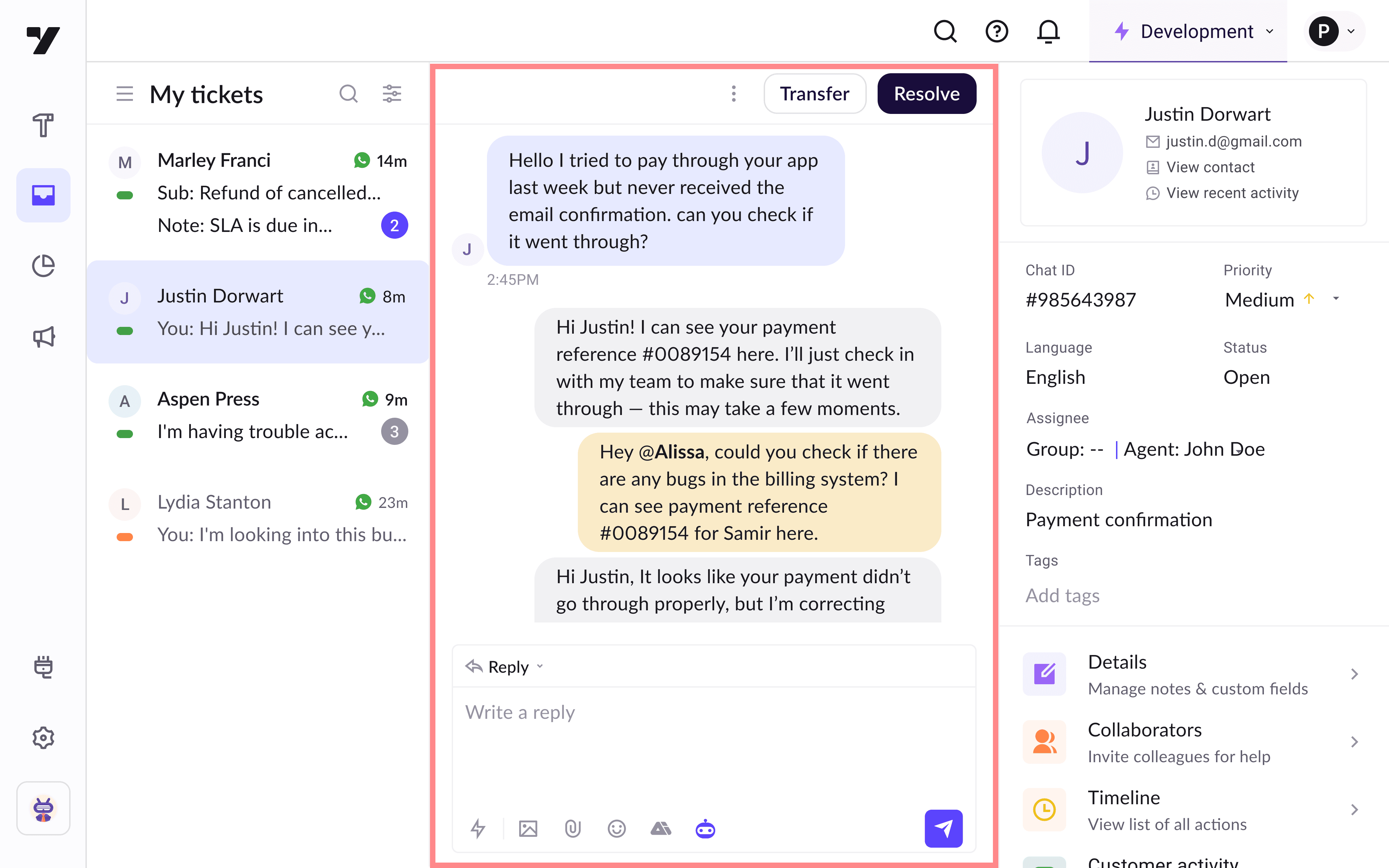
The middle conversation section had limited visibility, requiring agents to scroll frequently. I updated the top navigation and streamlined chat bubbles by reducing padding and font size. These changes let agents see more messages at once, making conversations easier to scan.
Improving Ticket details
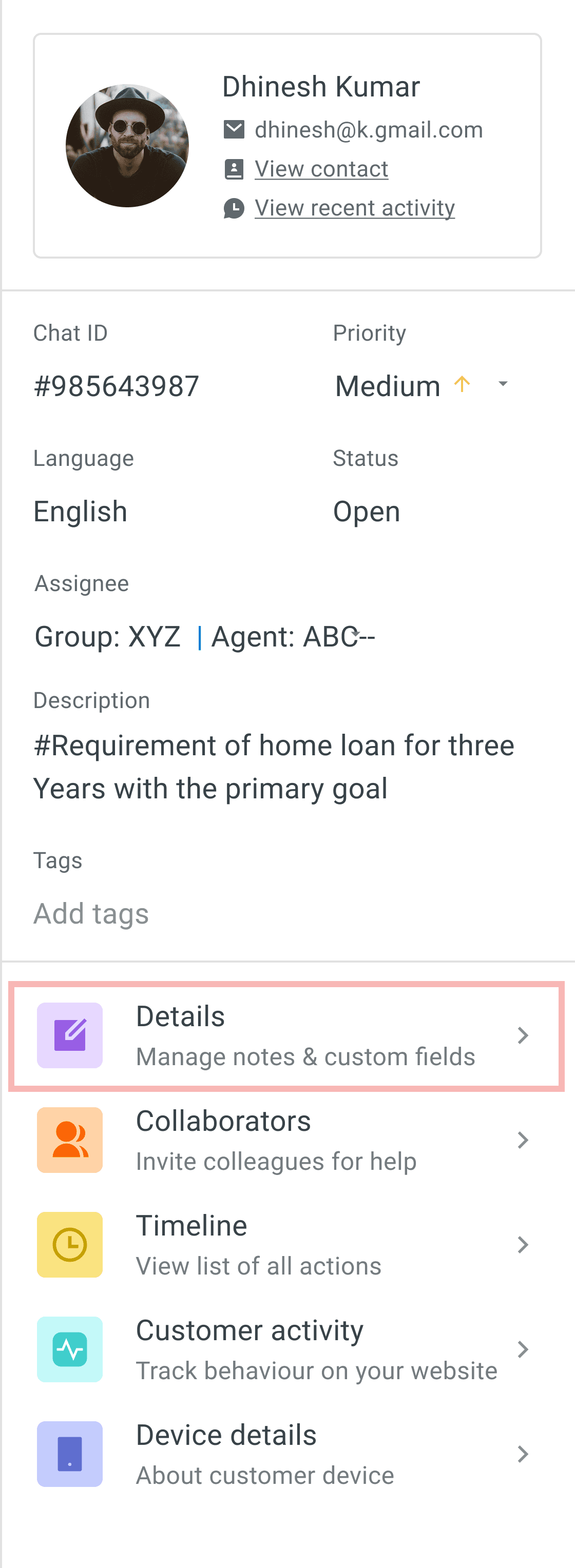
This panel appears on the right side of the conversation to get a quick summar of the customer and to fill the most important details the business needs.
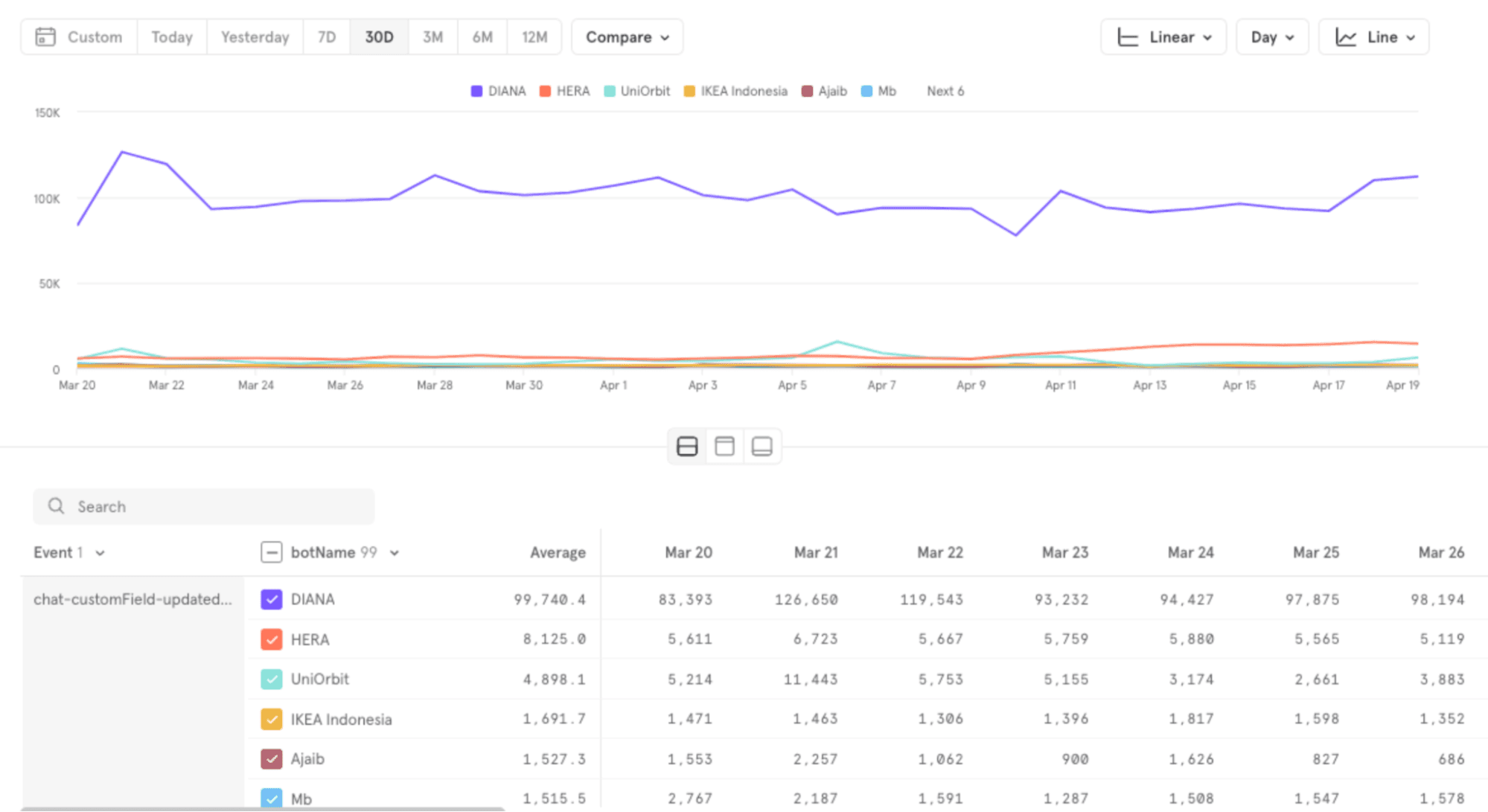
Ticket fields/Custom fields: Agents must fill out required ticket fields for every ticket before they can resolve or transfer it. In our tool, this section was used about 19,000 times each day so I wanted to make sure it was not tiresome.
Analysing how often ticket details are used
Layout research
Before
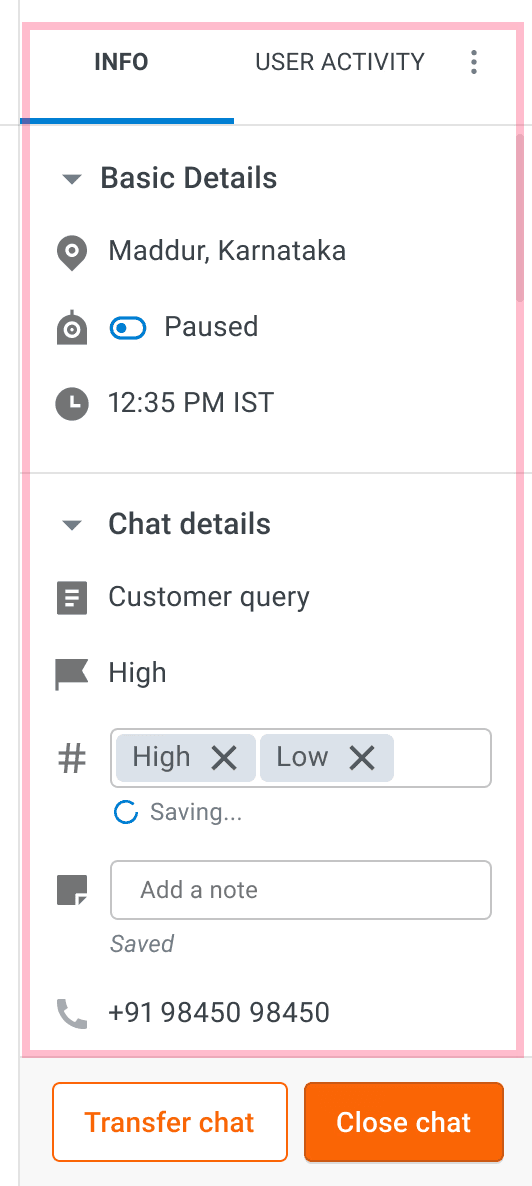
After
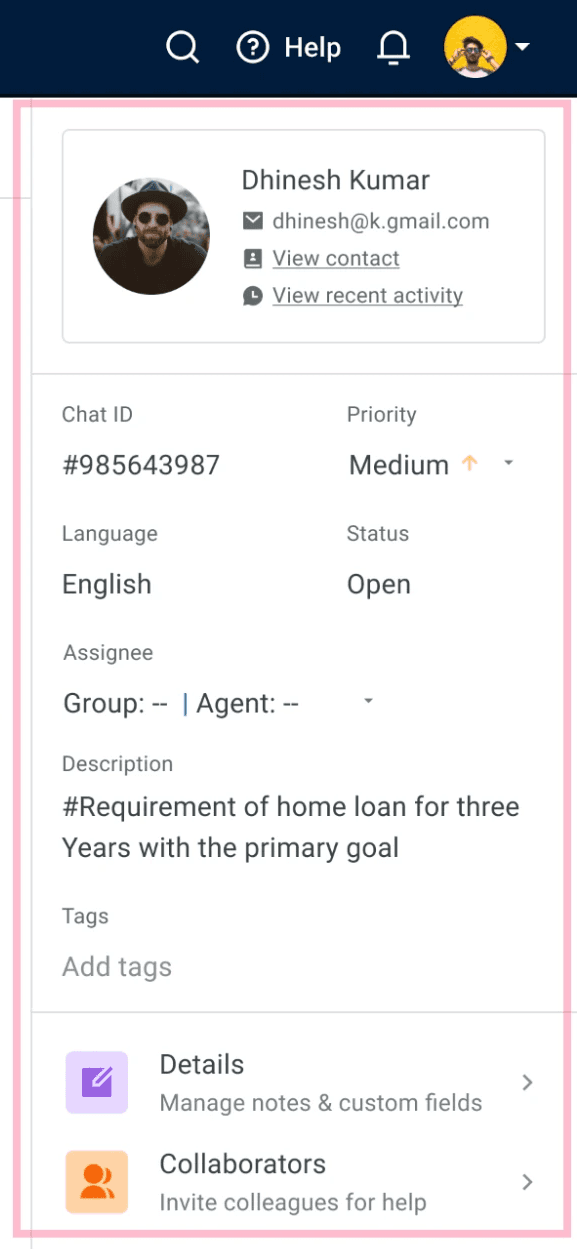
Visual considerations
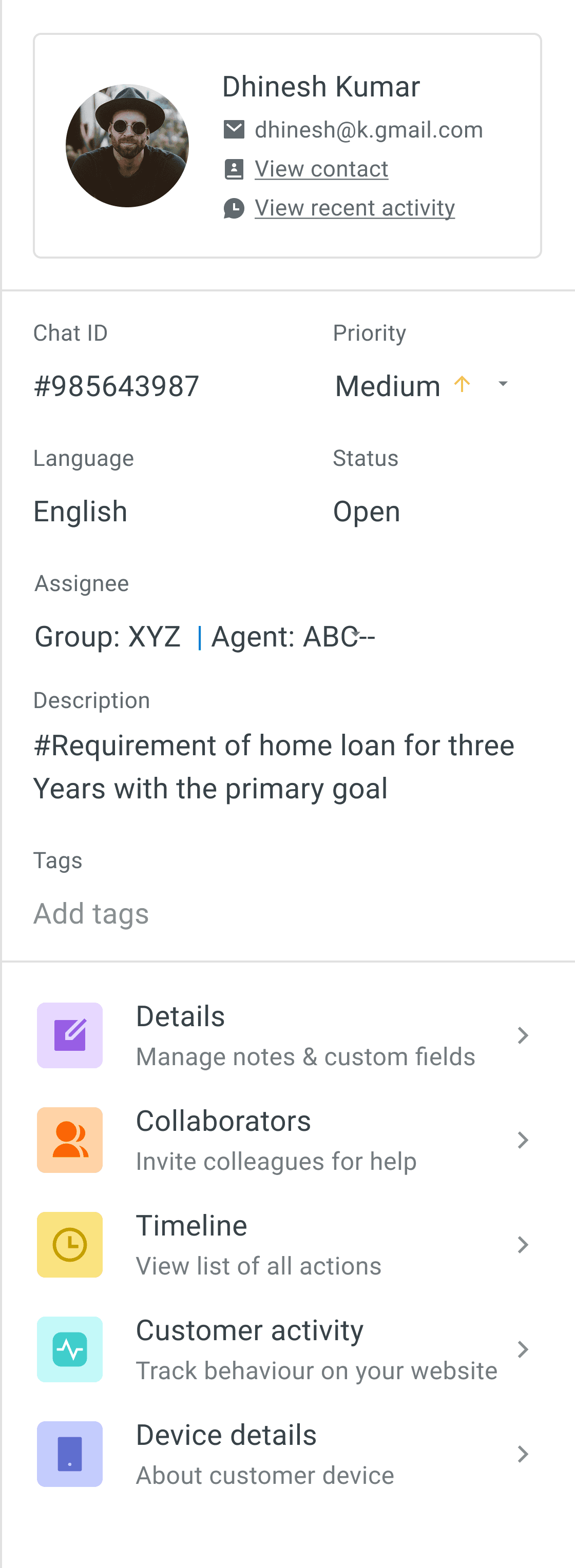
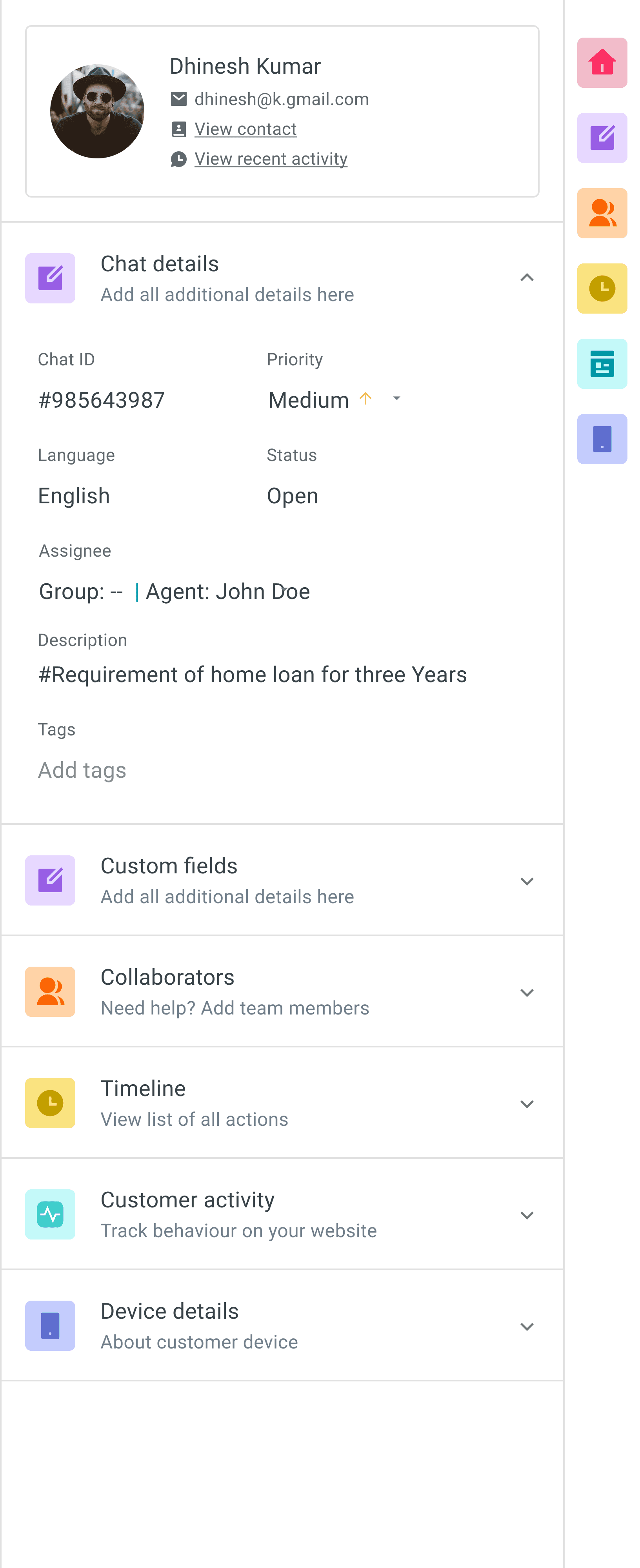
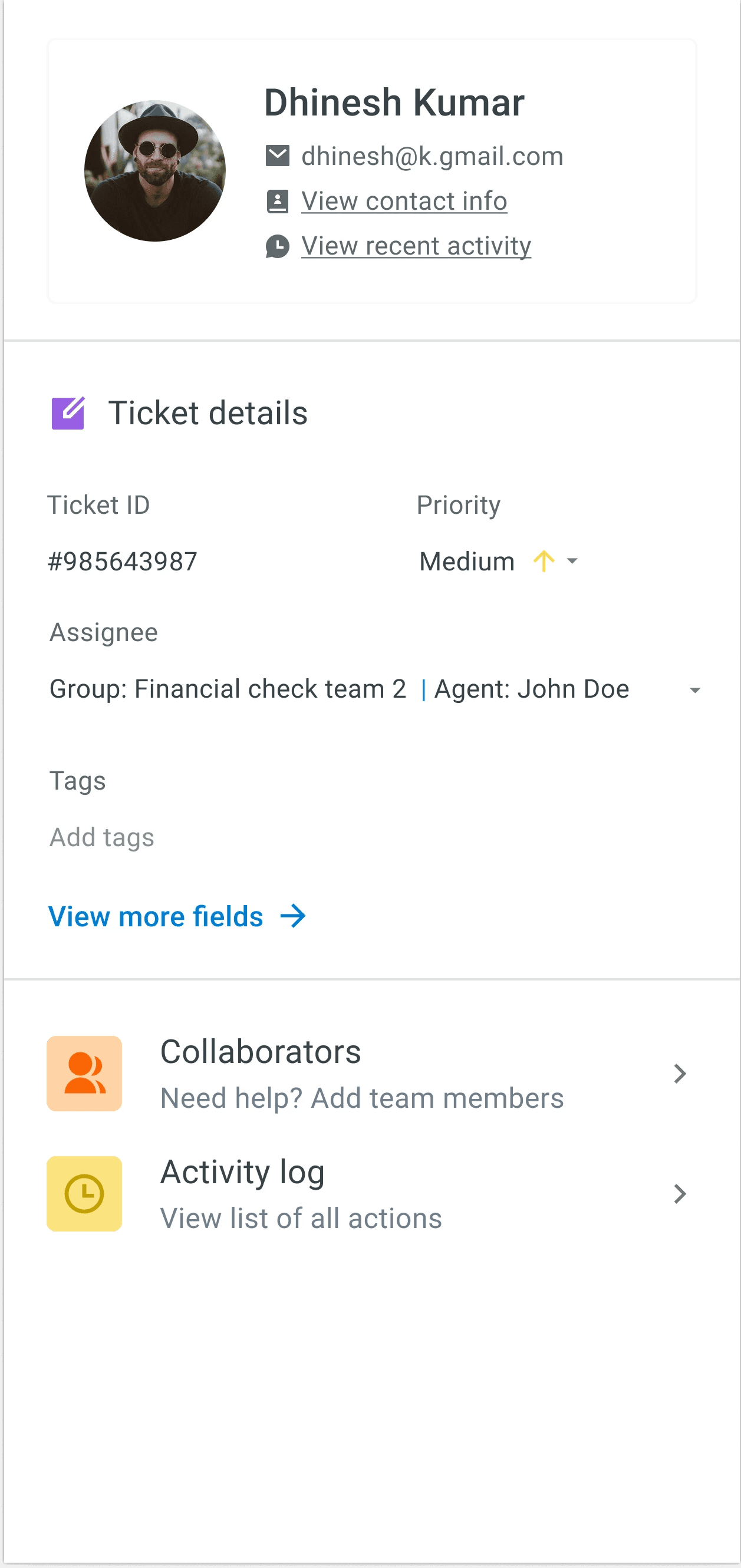
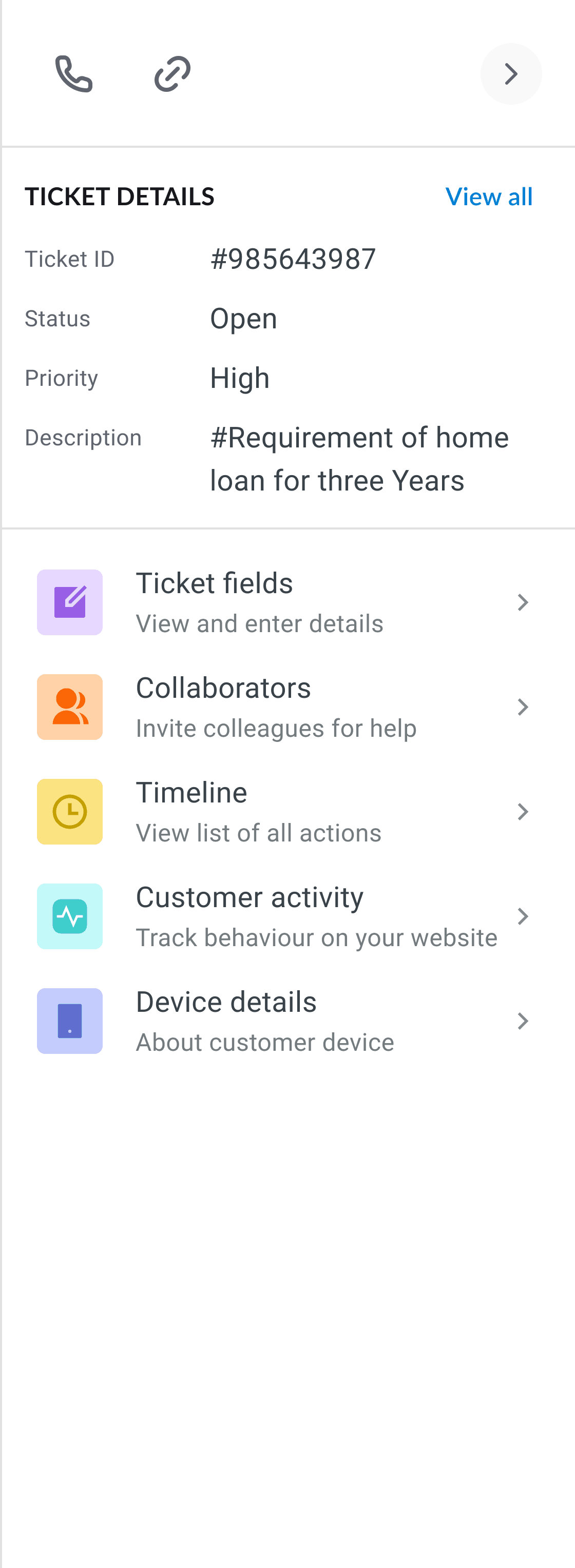
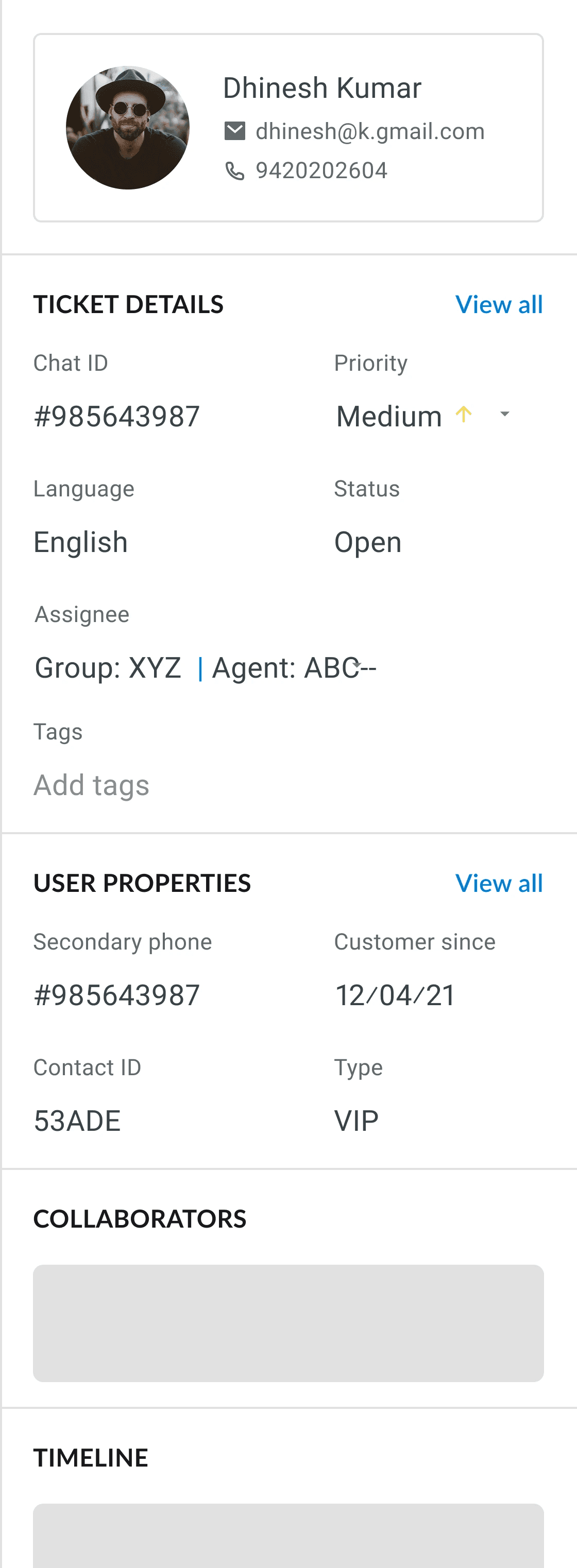
We explored several layout options but chose the first variation as that would have the least need to scroll and also highlighted the customer info. Placing user and ticket info at the top, with modular sections below, makes it easy to scan and keeps interactions focused. This approach felt purposeful and adaptable across different scenarios.
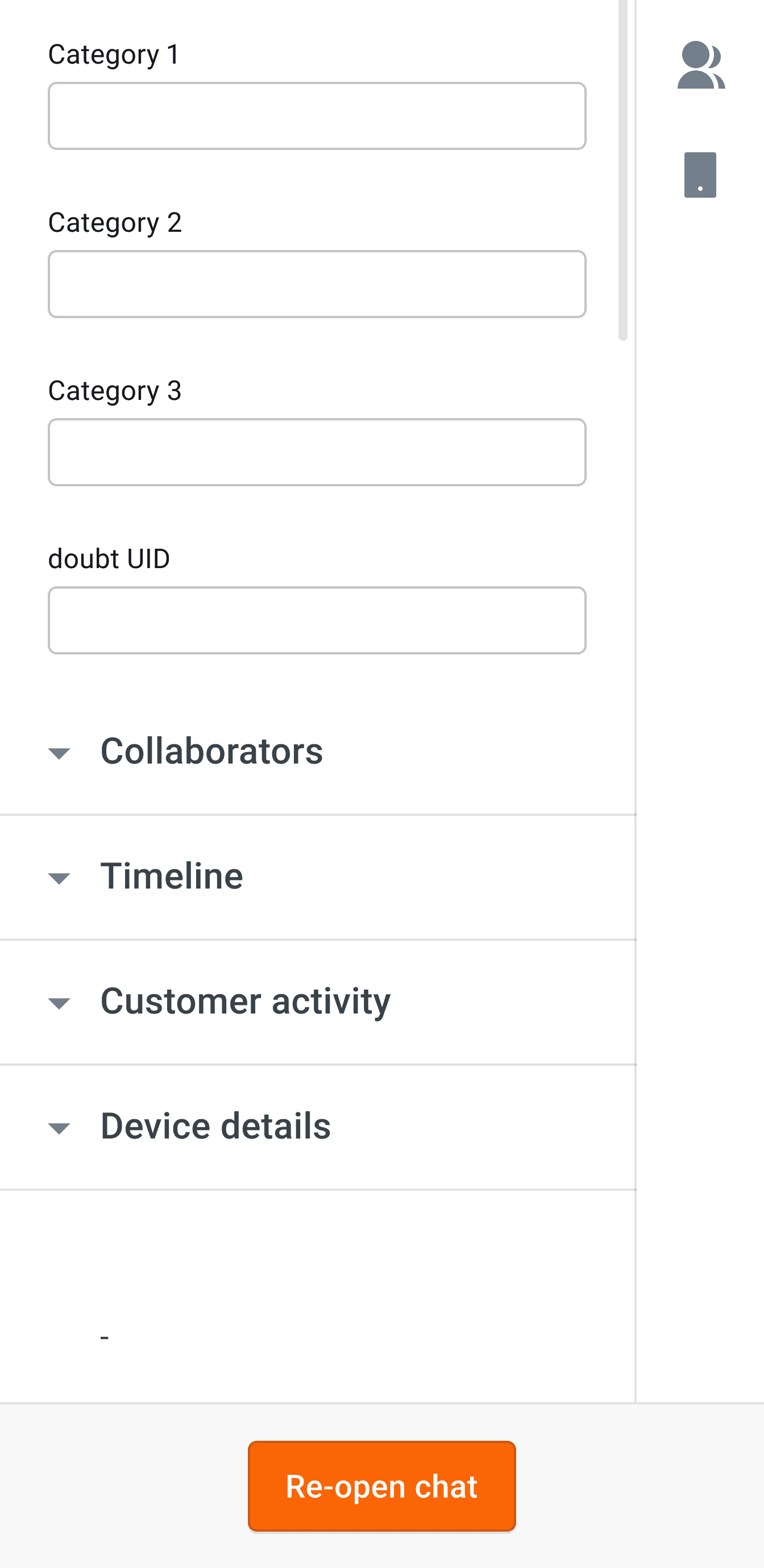
Scrolling, finding vs clicking, searching
The number of required ticket details is dependent on each business. Most of them had 15/20 fields. Scrolling through accordion menus to find specific information was tedious and slowed down their workflow.
My main priorities:
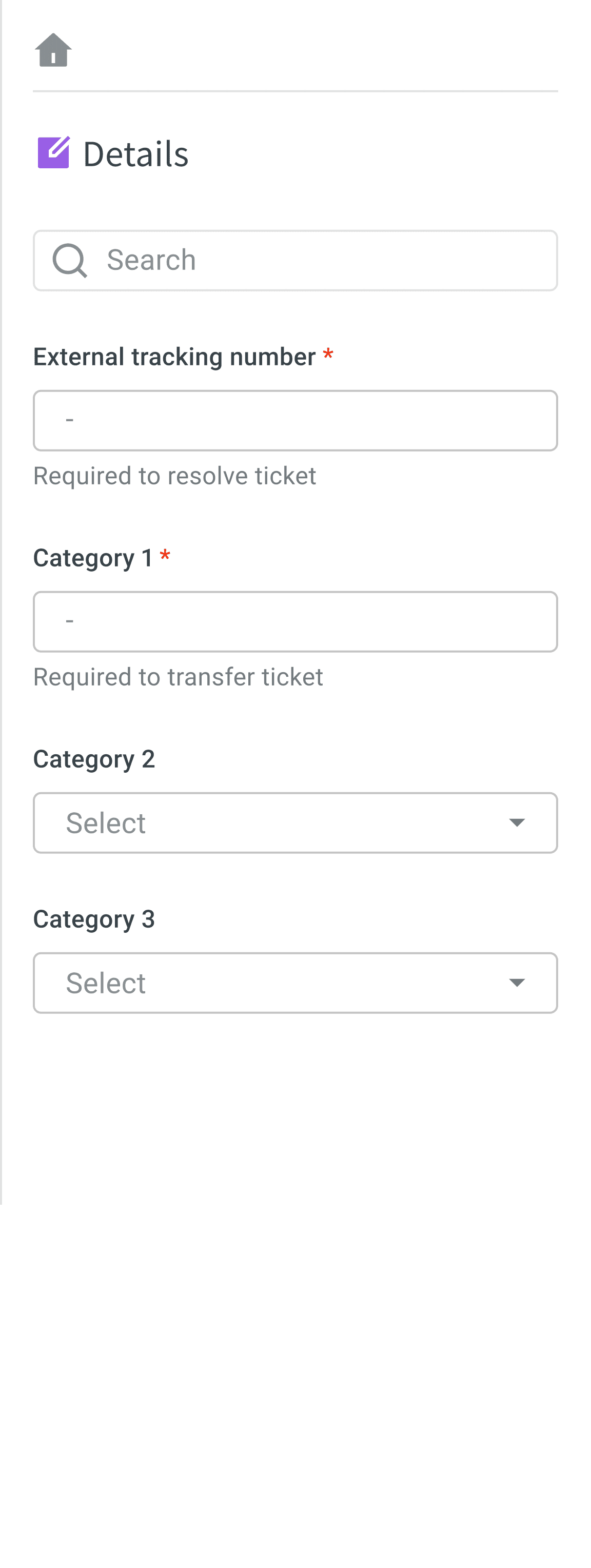
- Created a focused section solely on required ticket fields, reducing clutter and distractions.
- Moved the details section above the fold so agents can access it immediately, without scrolling.
- Added a search bar, allowing agents to quickly locate and fill in the exact fields they need.
Before
After
THE AUDIT - Spotting Small Friction Points
Context Loss Costs Team 40+ Hours Monthly
Through shadowing sessions with 15 agents, I discovered agents switch conversations 30-40 times per shift, spending 10 seconds each time reorienting, remembering customer context and finding where they left off.
The scale of the problem: For a typical 20-agent team, this meant 40+ hours monthly. Across Yellow.ai's 700+ enterprise customers running thousands of support agents, the systemic productivity loss was massive.
The core problem wasn't speed or memory. The system forgot for them.
The Solution
The system had to preserve agent context:
- Auto save their last interaction (drafts, clicks)
- Restore scroll position to last message read and last ticket detail
Solution (Auto save last interaction)
60%
faster context switching
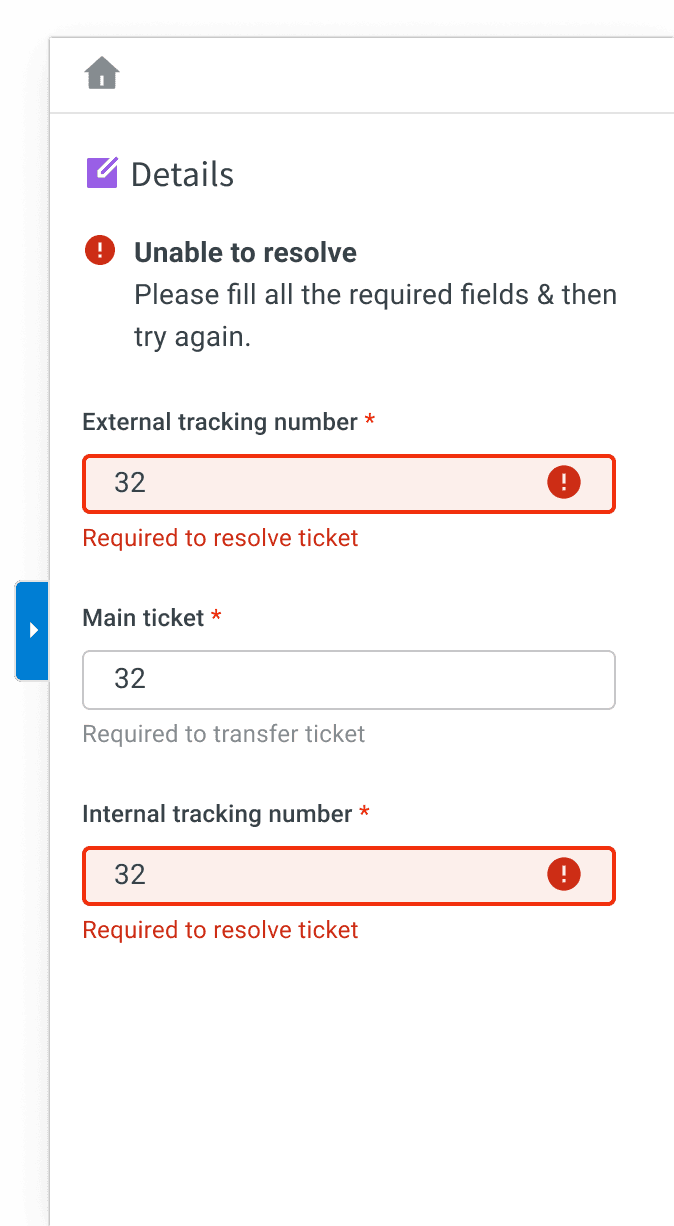
Agents lost 1 hour every day finding and filling required fields
While watching Hotjar screen records, I observed agents spend 2 to 3 minutes hunting for the required fields after "Resolve" button was blocked and agent was asked to go find the required fields themselves . I proposed to enable the "Resolve" button to allow immediate action while redirecting and surfacing specific inline errors and red-border highlights upon click.
60%
Reduction in search latency
~ 40 mins saved
Usability testing of new layout
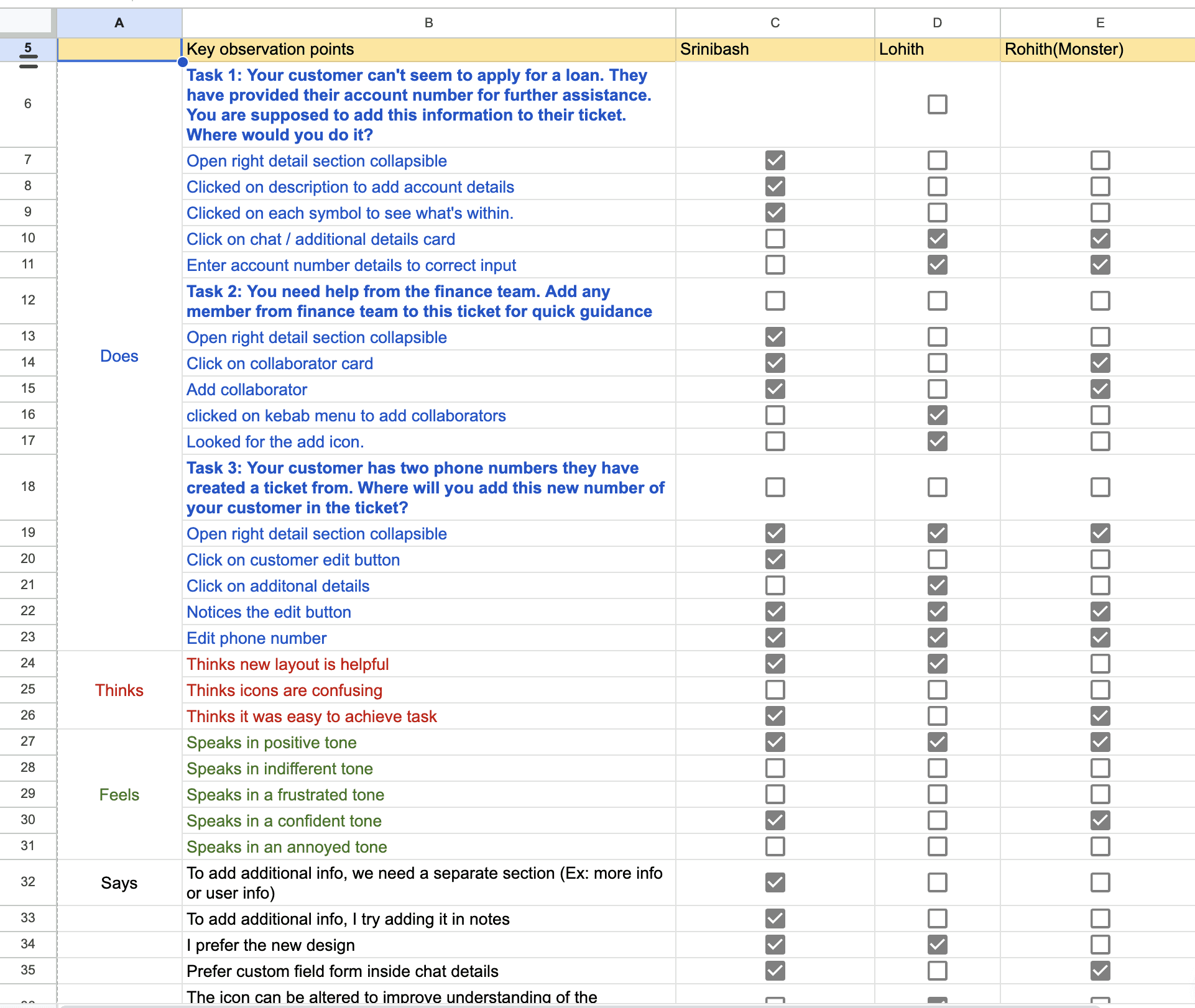
We conducted 10 moderated sessions. This was a task-based prototype study where we asked users to handle real world tasks and observed them.
Finding 1
Fast access to Ticket details: They specifically highlighted that in this layout, all sections were visible and everything was available, indicating a preference for clear, immediate access to key information.
Finding 2
Improve searchability: All users preferred having an easy way to search.
Finding 3
Users wanted to update the icons to be more easier to understand
Details panel feedback and Impact
Chat is the most time critical page in Inbox, so we expected low survey participation but 167 agents responded.
Impact
61%
rated it 4 ⭐ or higher
1 m 40 s